More Adventur and some math
A quick (maybe) update on things. I've gotten the C version of the code in line with the Python/Pygame version, but I need to organize the code a little better.
I found myself solving a problem that many have solved before: How do you know if the mouse is within a diamond shape?
The answer comes from the pre-algebra maths: "Calculating the slope of a line" -> y = mx + b
The tricky part is that you're calculating x based on what's happening in y, and vice versa.
These are the basic lines we're after:
y = x/2 + b
x = -2y + b
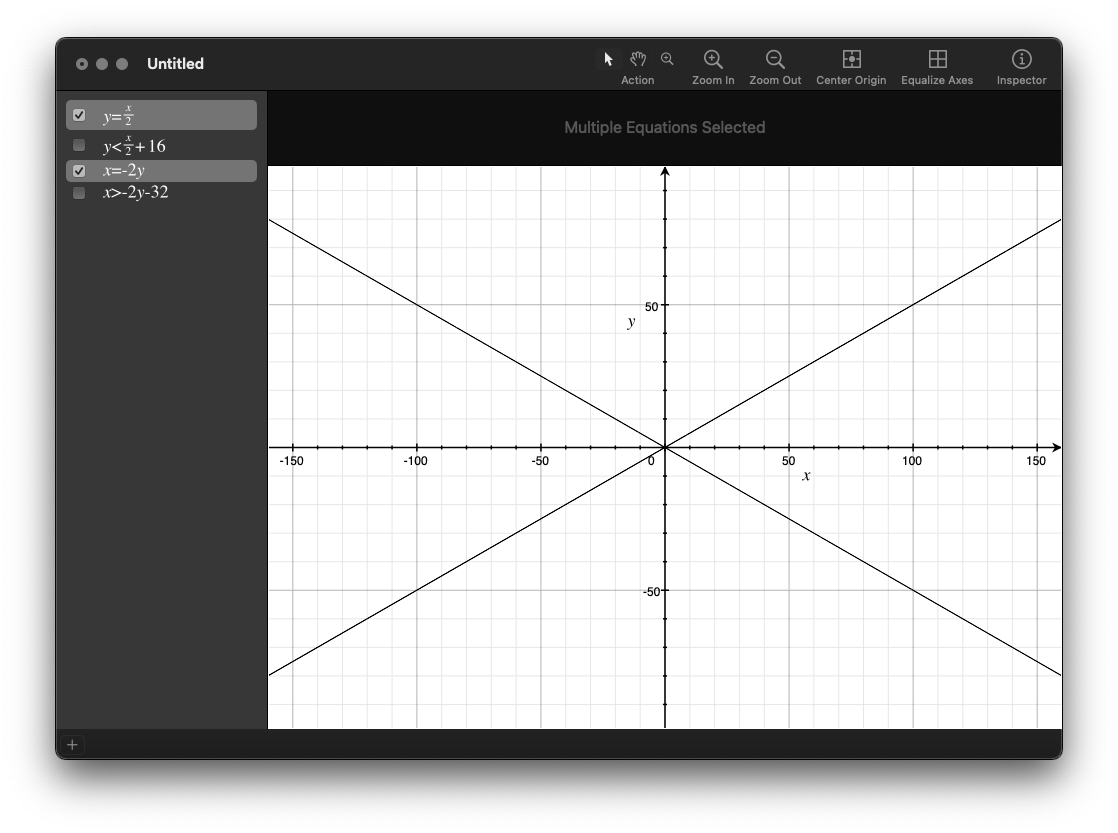
For this exercise I'm checking a diamond shape that's 64 pixels wide and 32 pixels tall, so we're looking for what's in the middle of this shape:
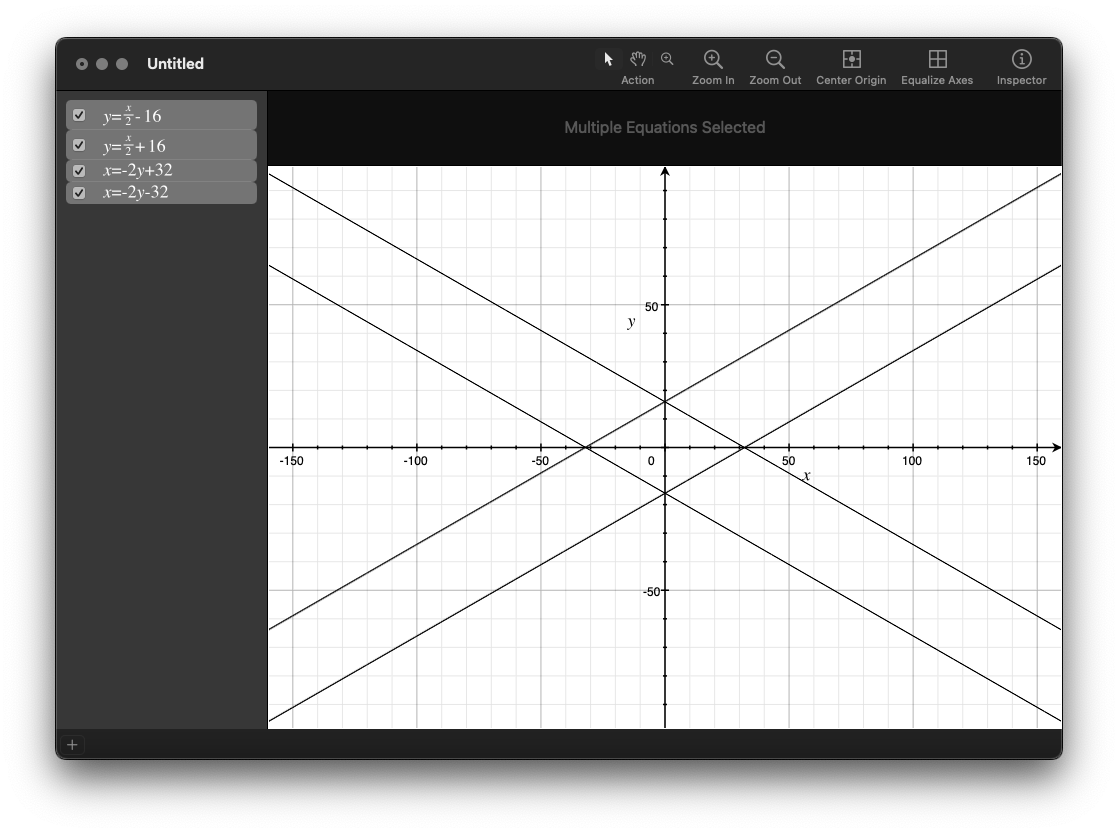
If you have point (0, 0), and your mouse is around (5, 5), we'll call those variables (x, y) and (mouse_x, mouse_y). For this scenario at the origin, we can say:
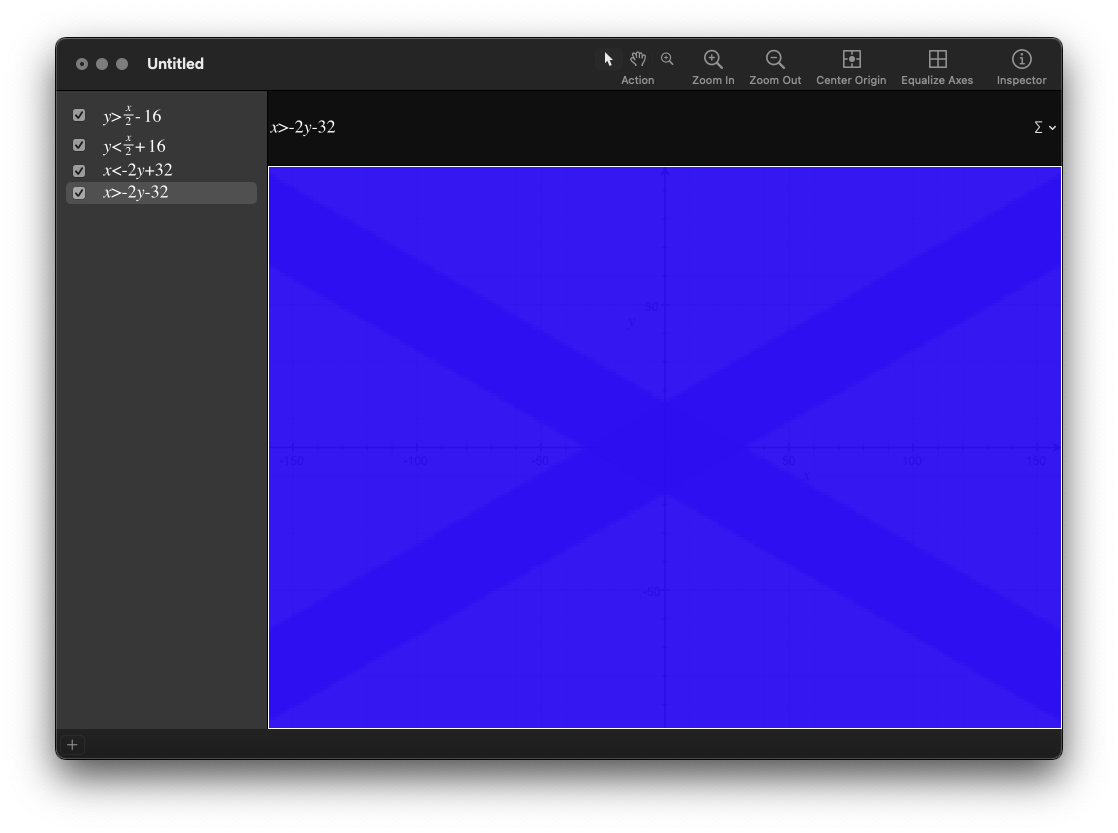
mouse_x < -2 * mouse_y + 32
mouse_x > -2 * mouse_y - 32
mouse_y > mouse_x / 2 - 16
mouse_y < mouse_x / 2 + 16
This is what it looks like in OSX's Grapher app:
That formula works great if you're at the origin, but once you move away from that you need to compensate a little:
mouse_x - x < -2 * (mouse_y - y) + 32
mouse_x - x > -2 * (mouse_y - y) - 32
mouse_y - y > (mouse_x - x) / 2 - 16
mouse_y - y < (mouse_x - x) / 2 + 16
and since we're adding the same stuff twice for each formula, let's do that ahead of time:
dx = mouse_x - x
dy = mouse_y - y

dx < -2 * dy + 32
dx > -2 * dy - 32
dy < dx / 2 + 16
dy > dx / 2 - 16
Now: you could simplify even more by getting the absolute value of dx and dy up front:
dx = abs(mouse_x - x)
dy = abs(mouse_y - y)

dx < -2 * dy + 32
So in the code that's drawing the cells, you send the coordinates of the cell you're drawing to see if the mouse is in it:
int in_diamond(int mouse_x, int mouse_y, int x, int y) {
    int dx = abs(mouse_x - x);
    int dy = abs(mouse_y - y);
    return (dx + 2 * dy) <= 32;
}


        if (!found_mouse && in_diamond(mouse_x, mouse_y, tile_x, tile_y)) {
            render_mouse(renderer, cell_x, cell_y, tile_x, tile_y);
            found_mouse = 1;
            if(mouse_down) {
                trigger_mouse(cell_x, cell_y);
            }
        }
Which lets the renderer know that it needs to draw the reticle on the cell.
(my ascii notes)
-----------------------------------------------------------------------------------
(0, 0)            |            /\ (0,0)                 |  *Iteration start tile
  _ _ _ _ _ _     |           /\/\                   <- |  1: (0, 0) - width = 1
 |_|_|_|_|_|_|    |          /\/\/\                     |  2: (0, 1)
 |_|_|_|_|_|_|    |         /\/\/\/\                    |  3: (0, 2)
 |_|_|_|_|_|_|    | (0, 4) /\/\/\/\/\                   |  4: (0, 3)  _
 |_|_|_|_|_|_|    |        \/\/\/\/\/\ (5, 0)        <- |  5: (0, 4)   |- same
 |_|_|_|_|_|_|    |         \/\/\/\/\/               <- |  6: (1, 4)  _|  width
           (5, 4) |     ---- \/\/\/\/ <- a row to draw  |  7: (2, 4)
 fig. 1           |           \/\/\/                    |  8: (3, 4)
 2-D Array        | fig. 2     \/\/                     |  9: (4, 4)
                  |Rotated 45°  \/ (5, 4)            <- | 10: (5, 4) - width = 1
------------------------------------------------------------------------------------
And here's the result: A yellow oval moving from cell to cell in the isometric map: